
Do you feel like this?
- You track your expenses every month
- You try to save money
- You stay consistent with budgeting
…but you still feel anxious about your future finances
If that’s you, the problem isn’t your effort.
It’s what you’re tracking.
Why Traditional Budgeting Doesn’t Work
A typical budget shows:
- Income
- Expenses
But it does NOT show:
- Your total assets
- Whether you’re actually getting richer
- How your money is changing over time
That’s why even if you’re “doing everything right”
the anxiety never goes away
The Solution: Asset-Based Budgeting
This template is not just a budget.
It’s a complete financial visibility system.
You can see:
- Your income & expenses
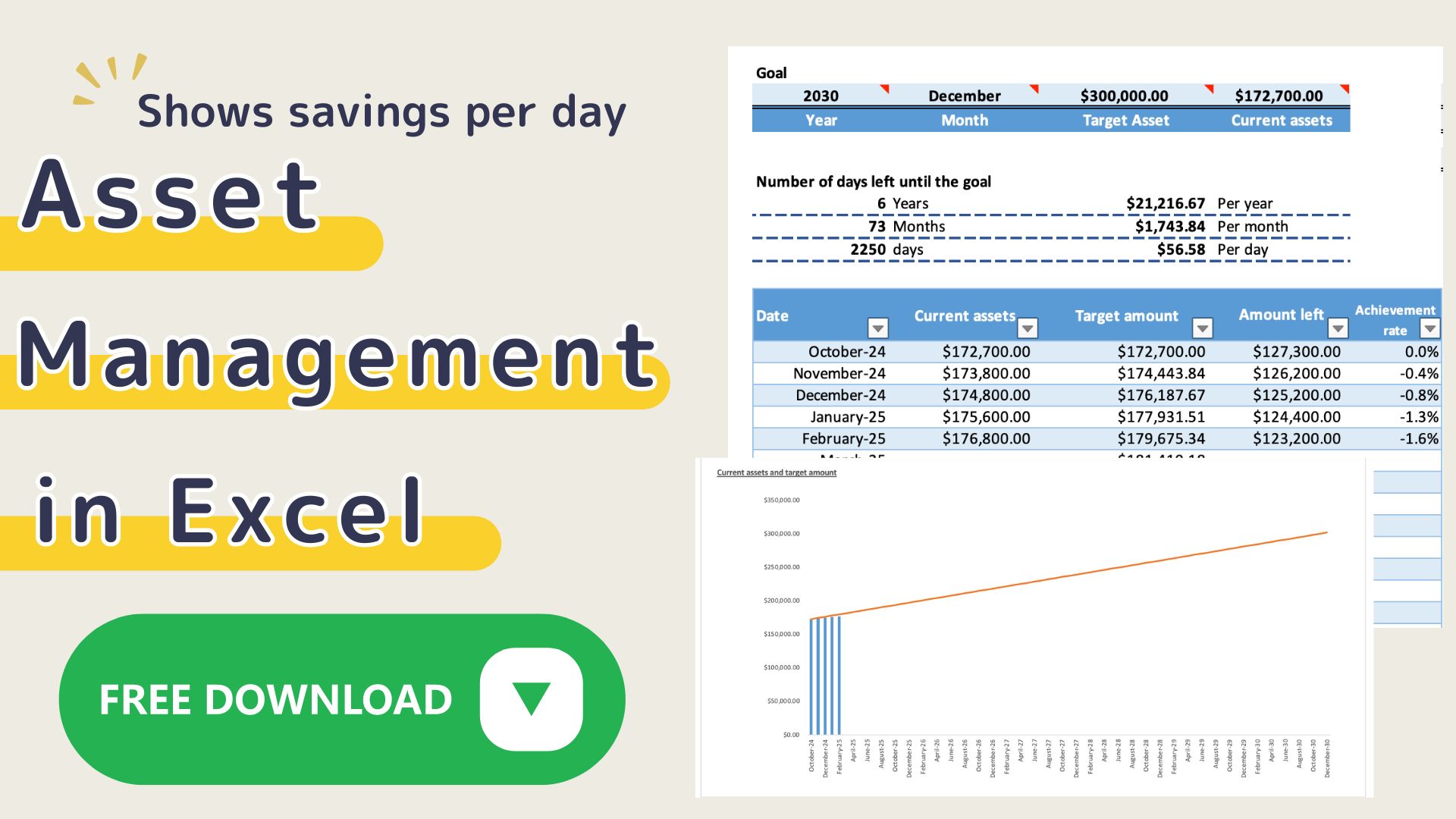
- Your total assets
- Monthly financial progress
- Where your money is going
Everything is connected.
What Makes This Template Different
Most budget templates only track spending.
This one tracks:
Income + Expenses + Assets (All in One)
- Cash
- Savings
- Investments
- Credit cards
Your entire financial picture
Automatic Asset Tracking
As you enter daily transactions:
- Income → assets increase
- Expenses → assets decrease
Your net worth updates automatically
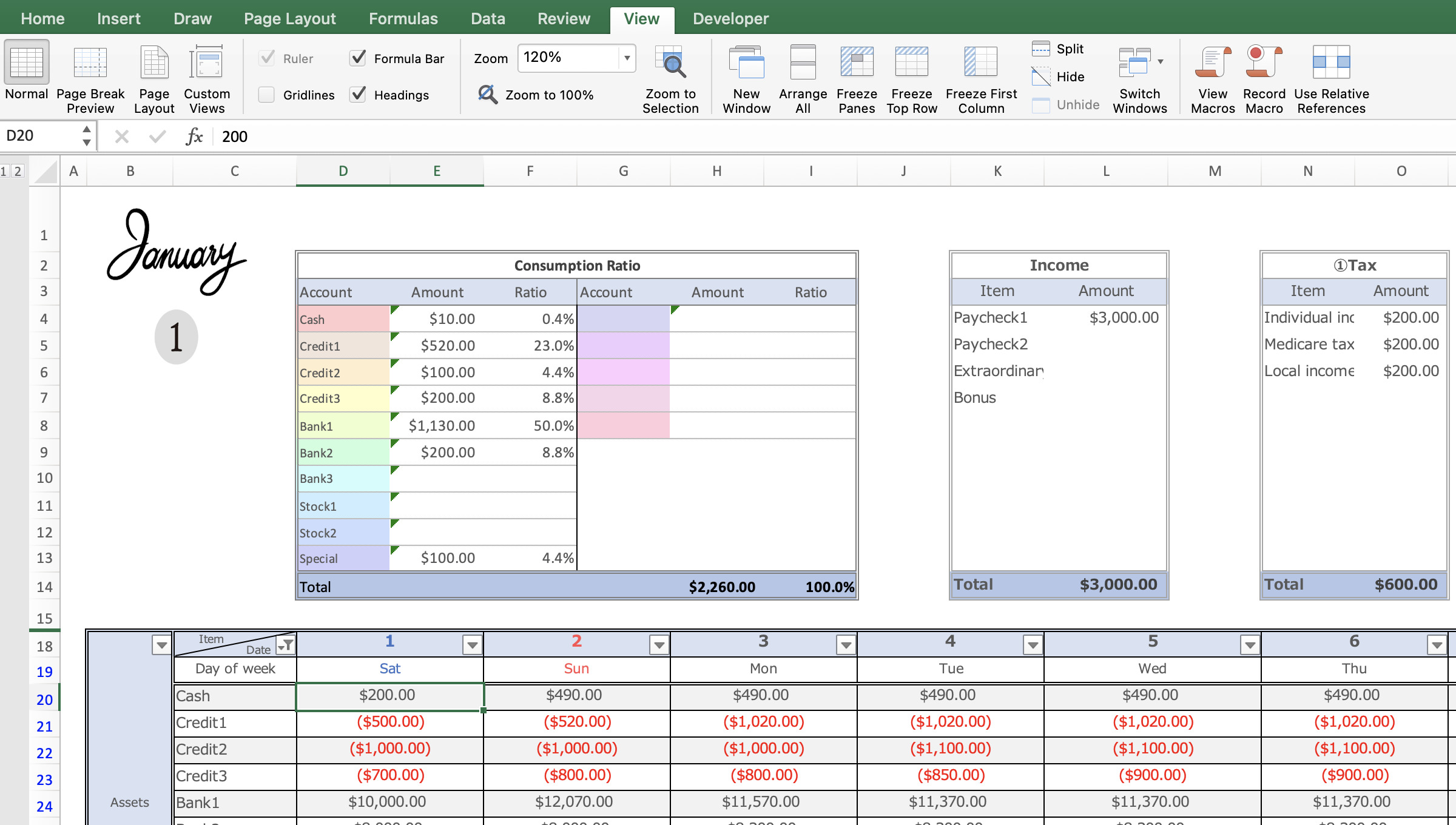
Visual Dashboard
- Monthly summaries
- Graphs & charts
- Spending breakdown
Instantly understand your money flow
Flexible Setup
- Customize categories
- Set your own start date (based on payday)
- Change currency
Works for any country
How to Use (Simple 4 Steps)
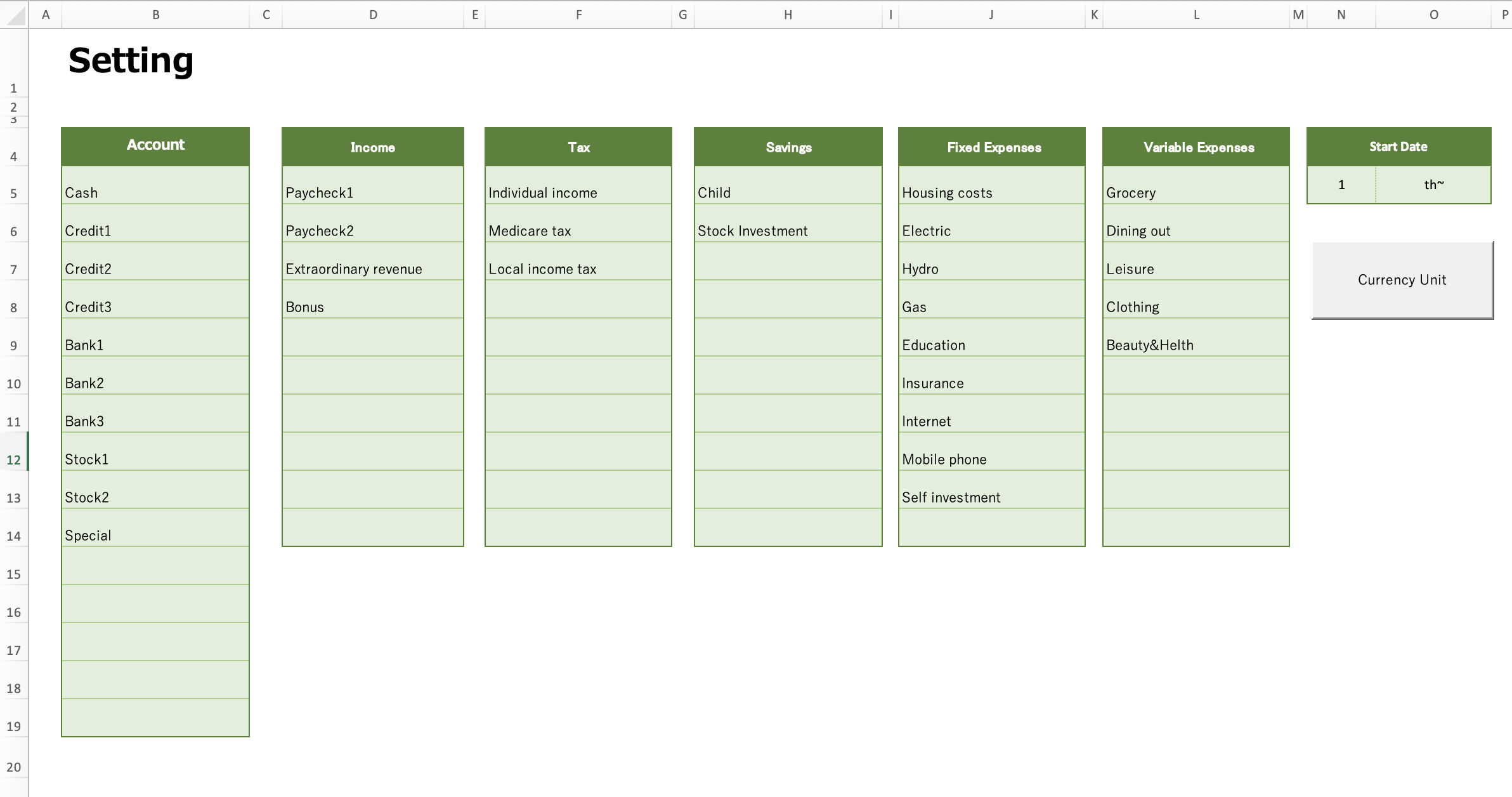
Step 1: Setup
This Excel household budget book uses macros.
Open Excel and click on "Enable Macros".
- Add account names
- Set categories (income / fixed / variable / savings)
- Choose your start date
Step 2: Add Your Assets
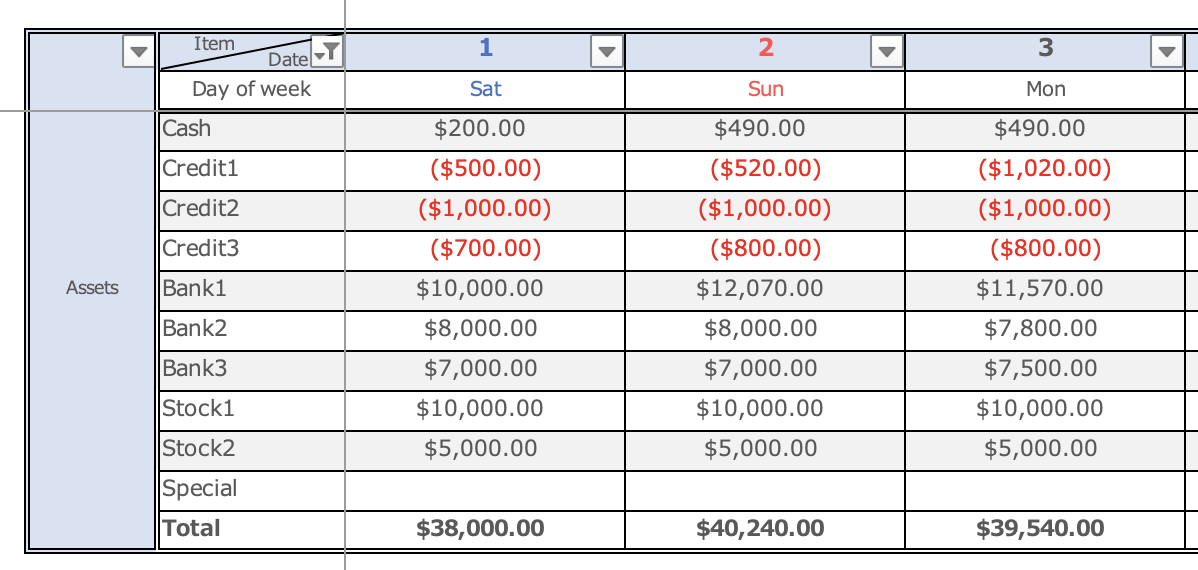
Enter your current:
- Bank balance
- Savings
- Investments
- Credit card balances (negative)
Enter the amount of assets in the column for the day before the date on which the household account is to begin.
If you start on January 2, enter the asset amount on the first day of the month in the asset column on the January sheet (you cannot enter amounts for future dates).
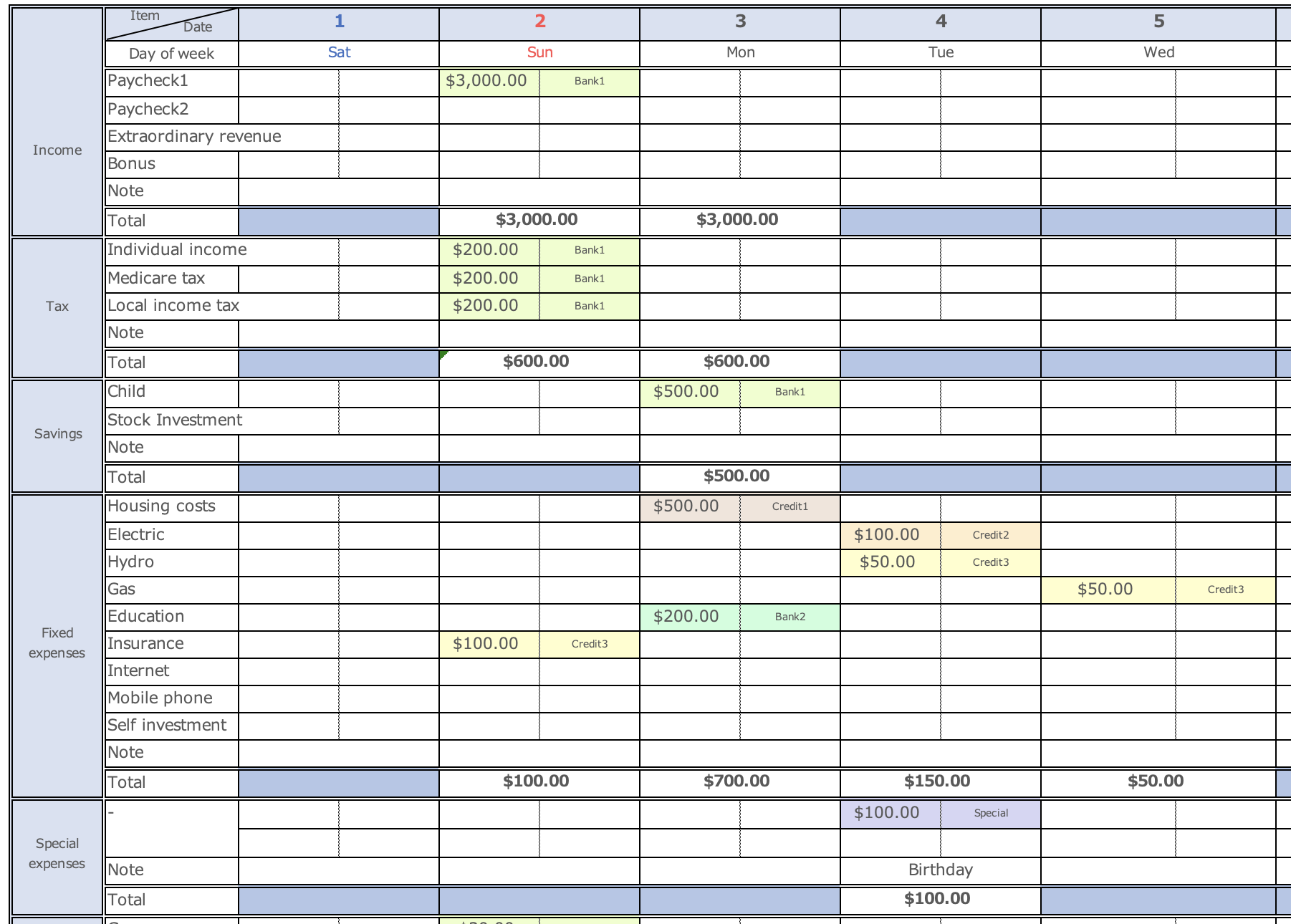
Step 3: Enter Daily Transactions
Record:
- Income
- Expenses
- Transfers
Assets update automatically
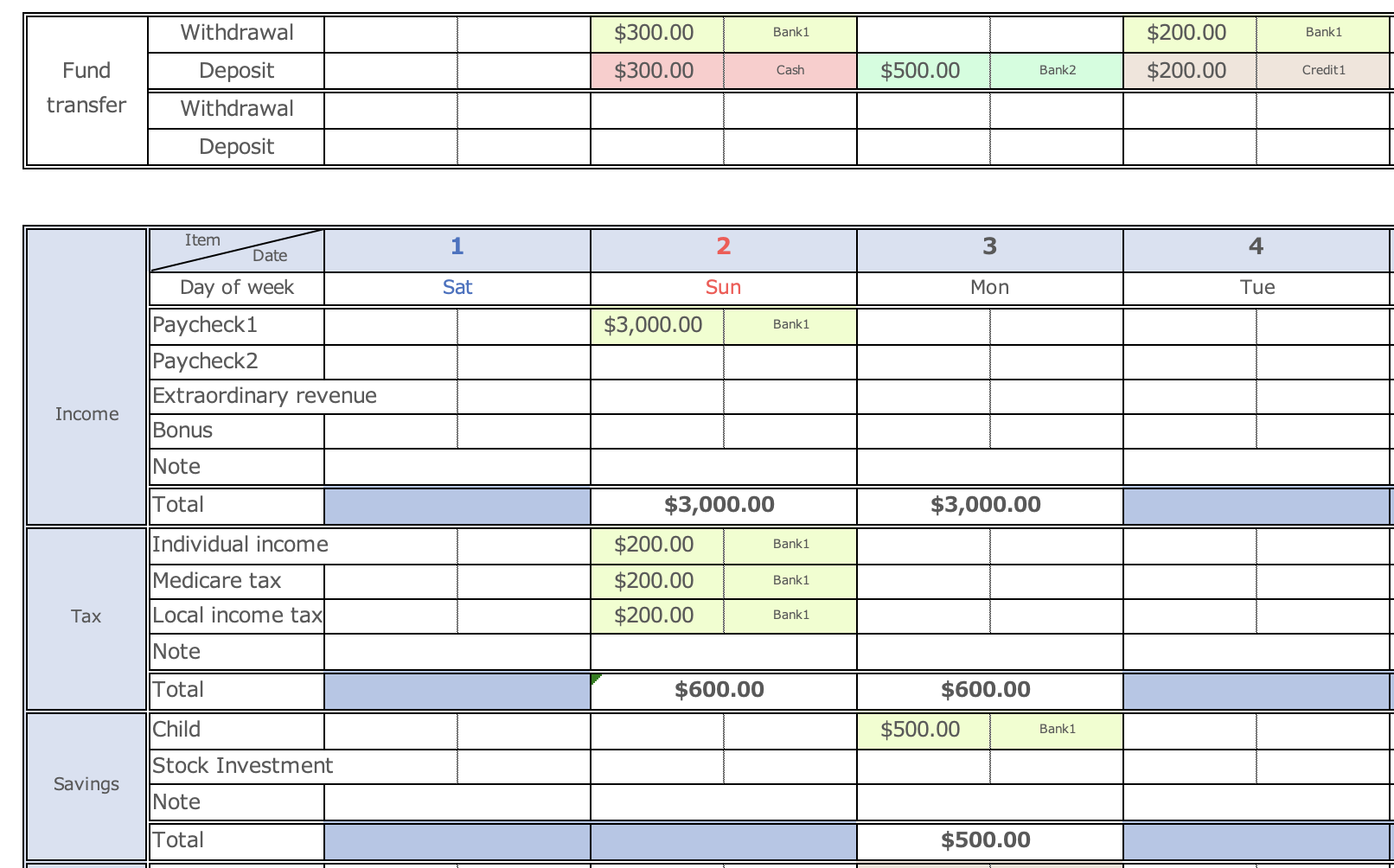
When transferring assets
- Withdraw cash from the bank
- Transfer funds for savings
- Make credit card payments
The funds transfer item is used primarily in these situations.
The information entered in the Funds Transfer field is not included in the consumption as funds are transferred between accounts.
Withdrawing cash from the bank (transferring money between accounts)
Enter the amount to be withdrawn in the Withdrawal item of the Funds Transfer and select the account name from the pull-down menu on the right.
In the Deposit field, enter the amount to be deposited and select the account name.
When transferring funds for savings
For example, if you want to transfer funds from Bank 1 to Bank 2, in the Savings field, enter the amount of savings and select Bank 1 in the right-hand column.
In the Transfer of Funds section, enter the savings amount only in the Deposit section and select Bank 2 in the adjacent column.
Only the deposit item is entered in the funds transfer because the savings amount is deducted from the Bank 1 account in the Savings section of the Gantt chart.
To make a credit card payment
On the date of the credit card payment, transfer funds from the account from which the payment was made to the credit card account.
Be sure to enter the credit card amount to be charged in the Fixed, Special, and Variable Expenses section of the transfer of funds, as entering the amount in the Fixed, Special, and Variable Expenses section will result in double spending.
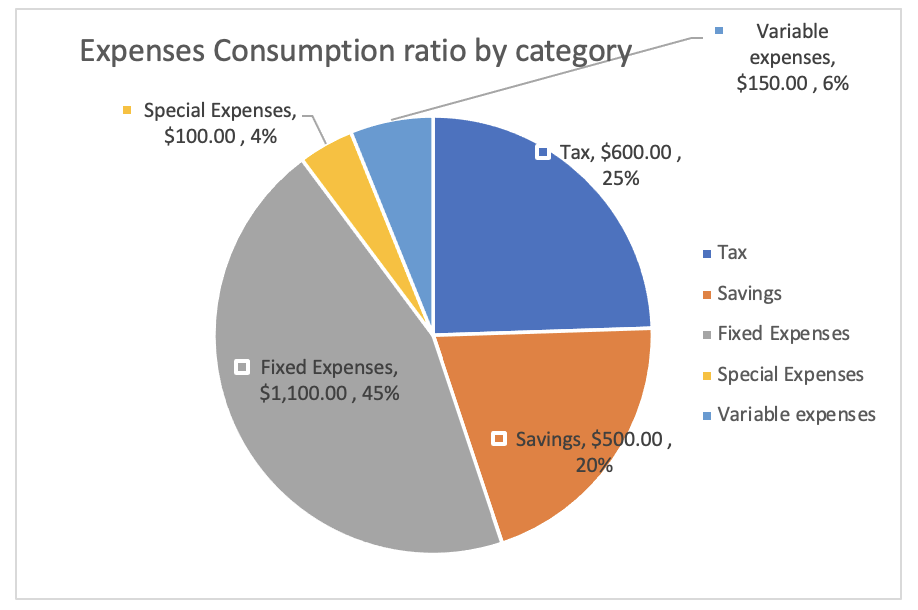
Step 4: Check Your Dashboard
- Monthly trends
- Spending ratios
- Asset growth
See your financial reality clearly
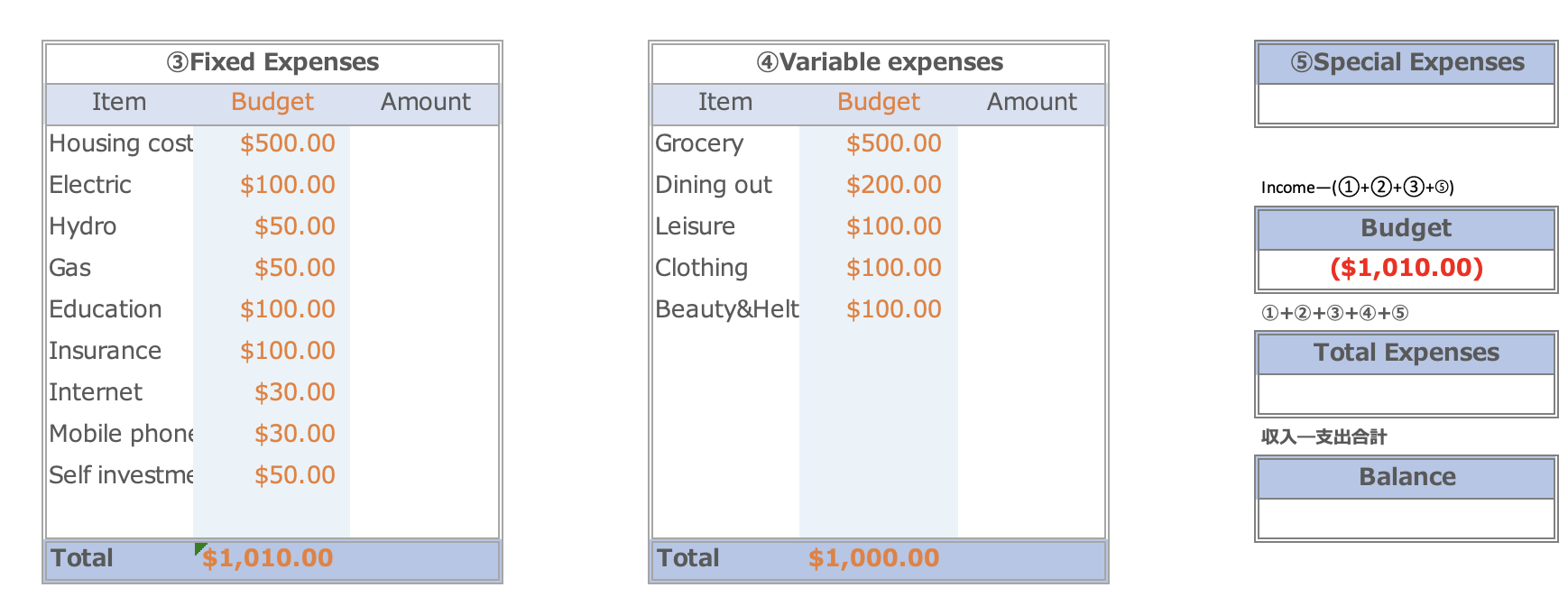
Budget Formula (Core Concept)
Your monthly budget is calculated as:
Budget = Income − (Taxes + Savings + Special Expenses + Fixed Costs)
This ensures:
You always know how much you can actually spend
What Will Change After Using This
Before:
“I think I’m doing okay… maybe?”
After:
“I know exactly where I stand.”
You will:
- Understand your financial situation clearly
- Make better money decisions
- Reduce anxiety about the future
Clarity replaces fear
Who This Template Is For
This is perfect if you:
- Feel anxious about money
- Want to track your assets (not just expenses)
- Need a simple but powerful system
- Want to take control of your future
Free vs Premium
You can start with a free version.
Then upgrade when you're ready:
- More features
- Full asset tracking
- Advanced analysis
-
-
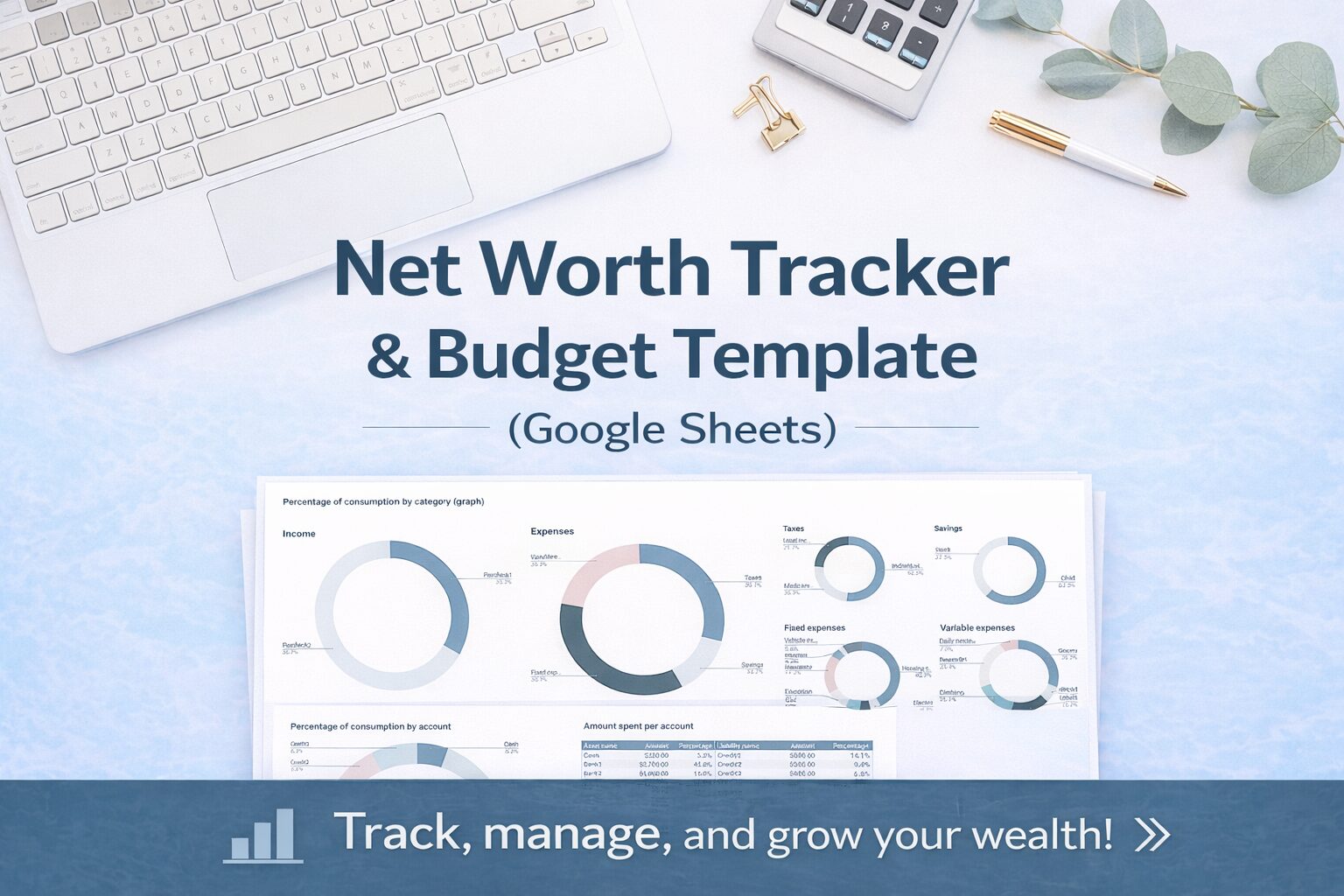
Net Worth Tracker & Budget Template (Google Sheets) | Simple & Powerful
Net Worth Tracker & Budget Template (Google Sheets) Do you feel anxious about money—even though you're saving? You’re not alone. Many people: But still feel ...
-
-
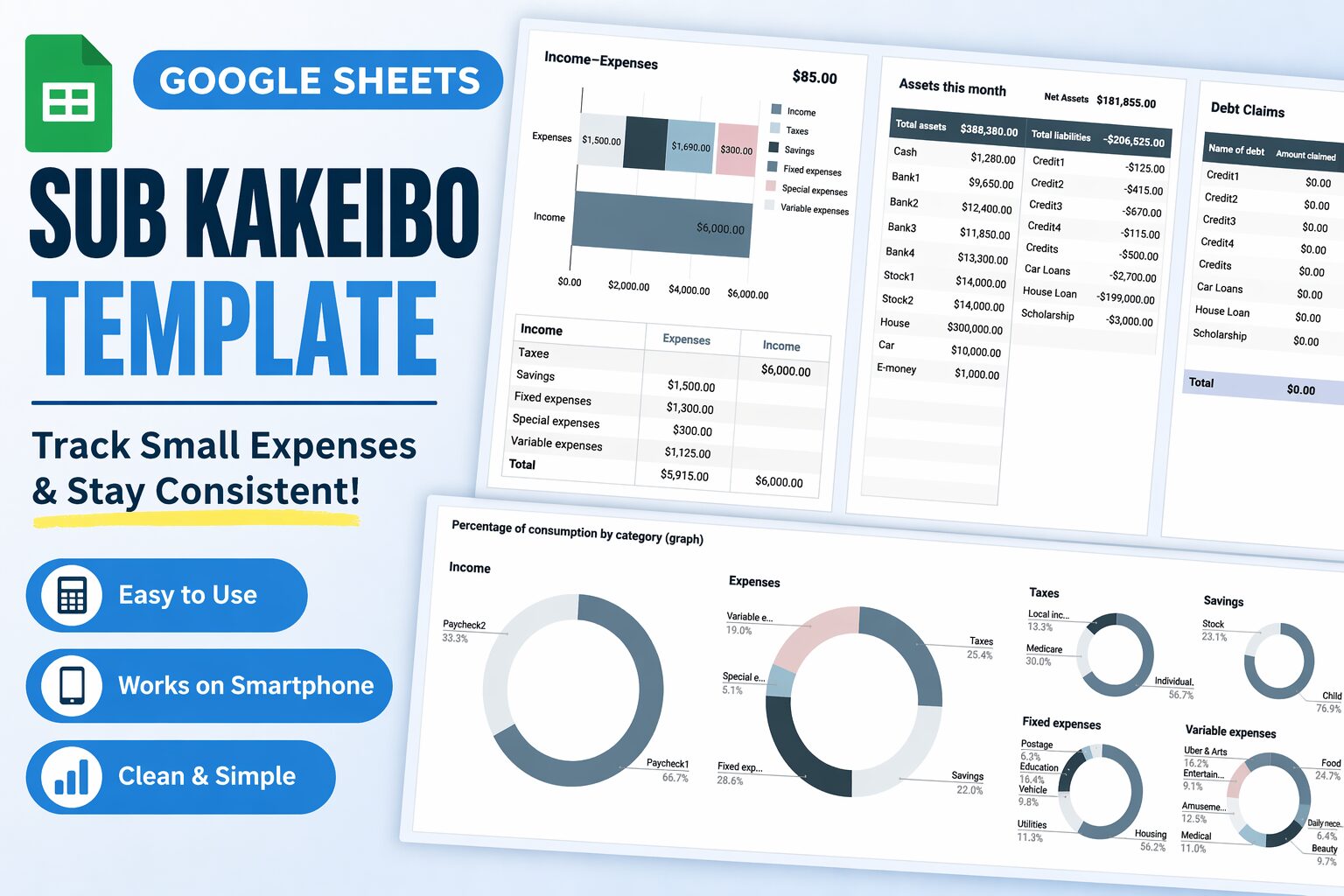
Sub Kakeibo Template (Google Sheets)Track Small Expenses & Stay Consistent with Your Budget
Contents Track Small Expenses & Stay Consistent with Your Budget What is a Sub Kakeibo? Why You Need a Sub Kakeibo Features of This Template ...
Final Message
You don’t need more budgeting tips.
You need visibility.
This template gives you:
- A clear financial picture
- A system you can continue
- Confidence in your future
Take control of your money today.
Free Download
Sample sheets are included in the Excel Household Budget.
Click the download button.
This Excel Household Budget is based on the calendar year 2026.