“Why is there so little money left this month…?”
Have you ever felt this way, even though you’re keeping a household budget?
When you take a closer look, the cause is often special expenses.
Birthdays, school events, trips back home, holiday outings—
they happen every year, yet somehow they show up as “unexpected expenses.”
When special expenses aren’t visible:
- It’s easy to go over budget
- Your bonus seems to disappear before you know it
- You lose confidence in managing your finances
This kind of negative cycle can easily happen.
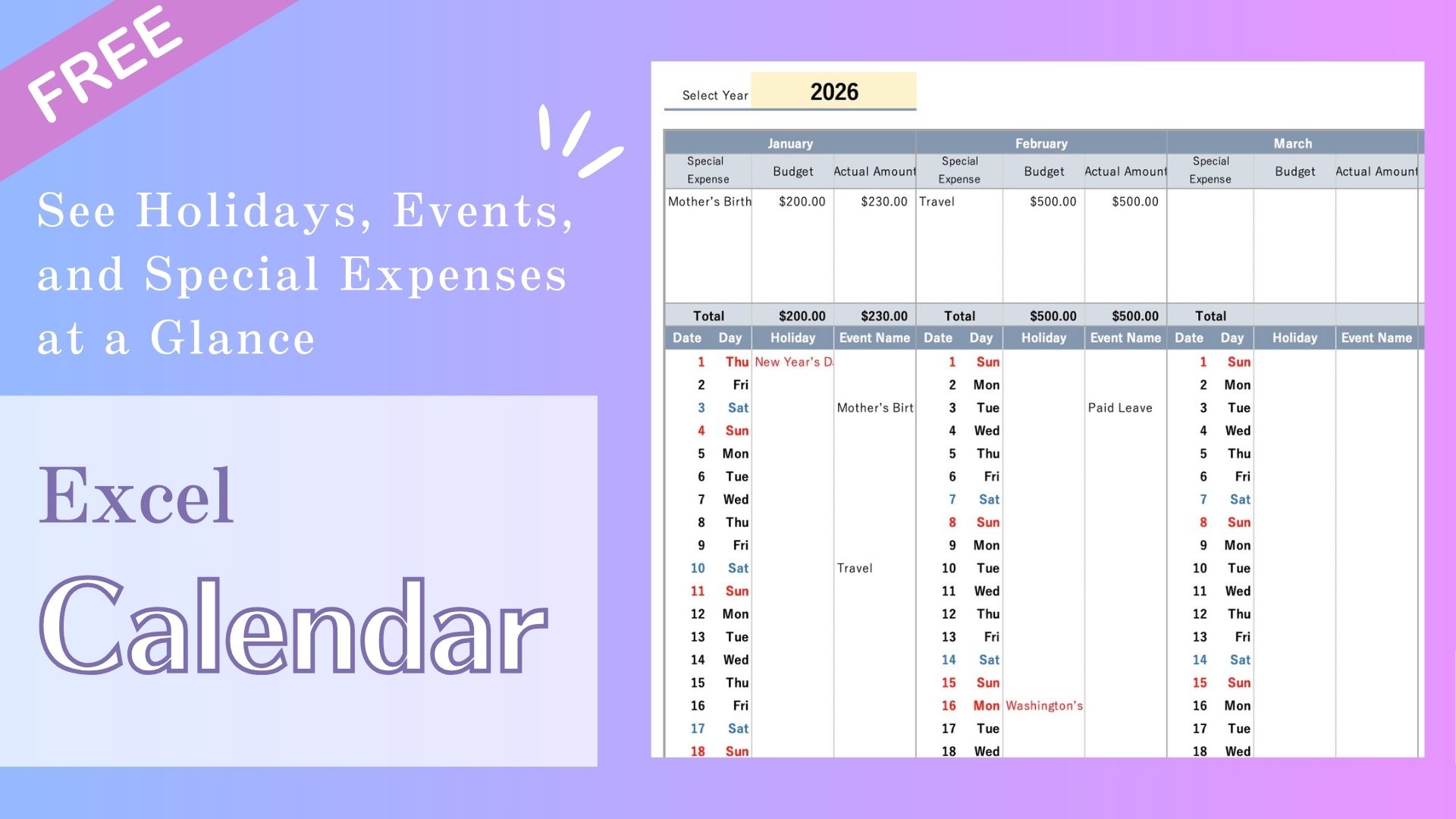
That’s why I created an Annual Excel Calendar that lets you see
special expenses, holidays, and events for the entire year at a glance.
Simply being able to see what’s coming ahead makes managing your money
surprisingly easier and more stress-free.
Recommended for These People
This annual calendar is recommended for people who:
- Find that special expenses throw off their household budget every year
- Wonder why their bonus or savings never seem to last
- Struggle to keep track of spending for holidays and events
- Keep a budget but still can’t see what’s coming next
- Want to view annual events and payment dates at a glance
Features of the Annual Calendar for Special Expenses, Holidays & Events
- View all your special expenses for the entire year at a glance
- Events entered on the input sheet are automatically reflected in the calendar
- Can be used both digitally and in printed form
How to Use the Annual Calendar
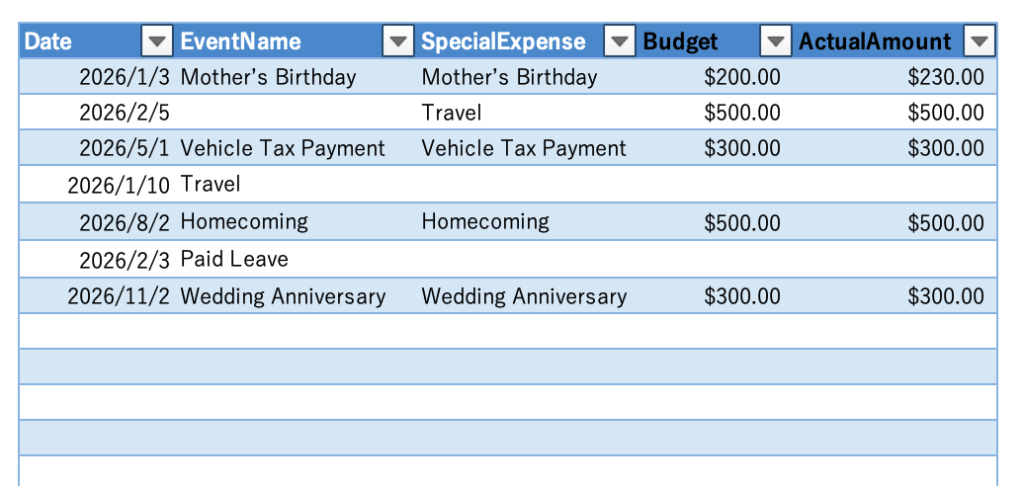
Input Sheet
Entering Event Names
- Enter the date
- Enter the event name
Entering Special Expenses
- Enter the date
Note: Dates are not displayed on the calendar, so please enter any date that is easy for you to manage. - Enter the special expense name
- Enter the budgeted amount
- Enter the actual amount spent
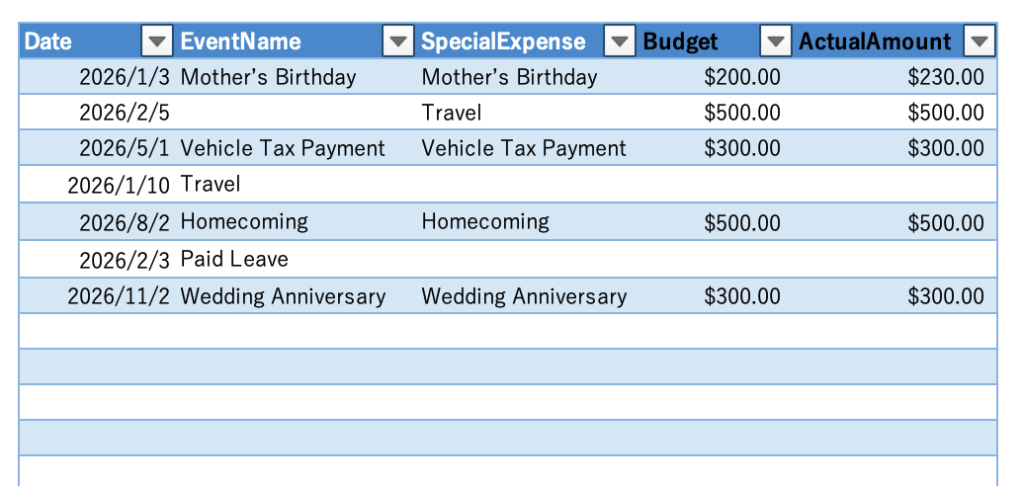
About the Input Sheet
- The input sheet can be used continuously across multiple years.
- Even when the year changes, there is no need to create a new sheet.
Please continue entering data in the same sheet. - If you enter a budget or actual amount under an event name,
be sure to also enter the corresponding special expense name.
Holiday Data
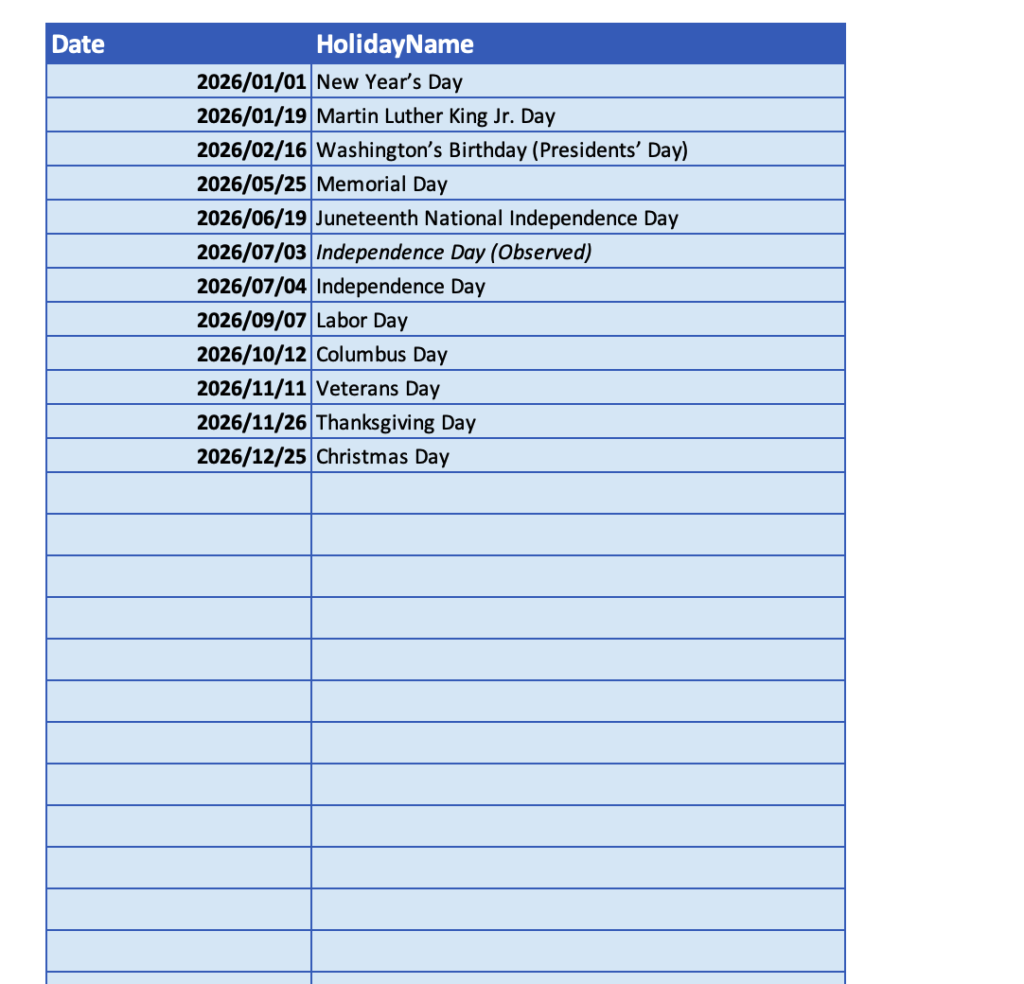
Please enter the holidays for your region and their names within the designated area on the Holidays sheet.
Enter holiday dates in YYYY/MM/DD format.
You may enter holidays for multiple years, as long as they are within the designated area.
Calendar Sheet
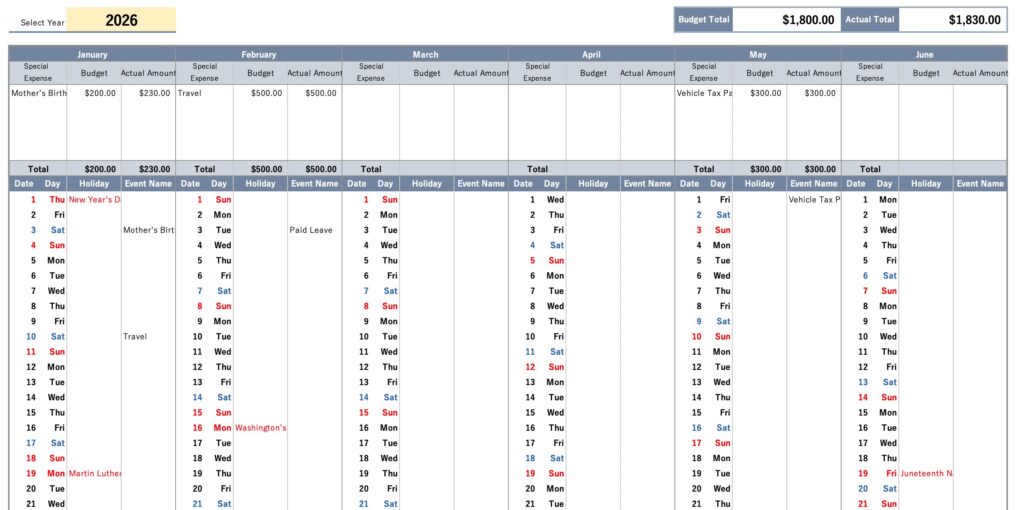
The information entered on the input sheet is automatically reflected in the calendar.
There are no additional items to enter on the calendar.
Please select the year you want to display.
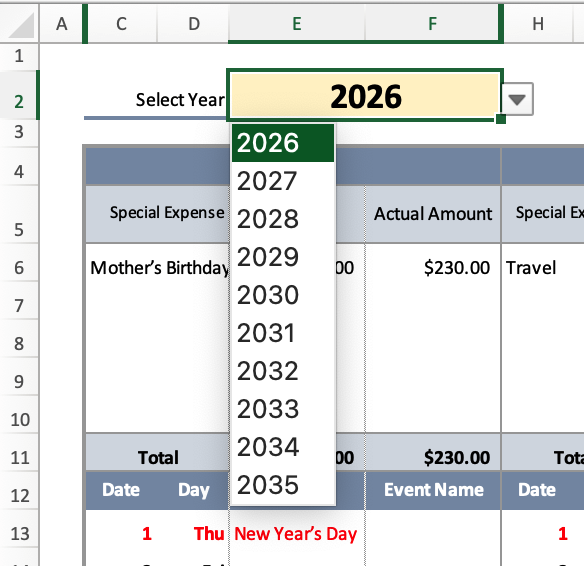
The annual calendar for the selected year is automatically displayed.
Up to five special expenses are shown for each month.
Holidays and event names are also displayed.
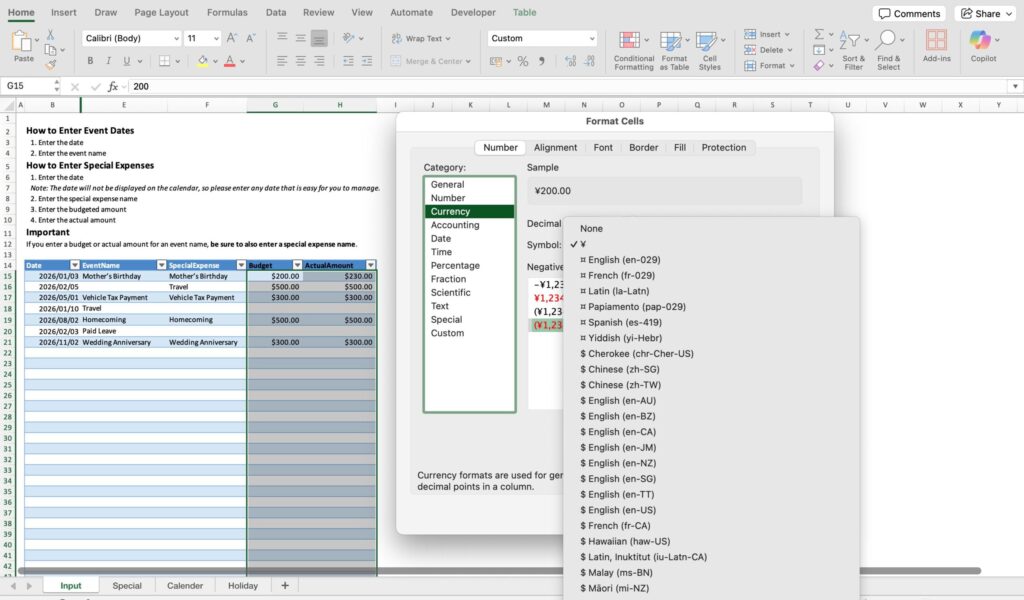
How to Change the Currency Unit
- Select the Budget and Actual Amount areas on the Input Sheet and Calendar Sheet
- Right-click and choose Format Cells
- Change the currency unit as needed
Printing Tips
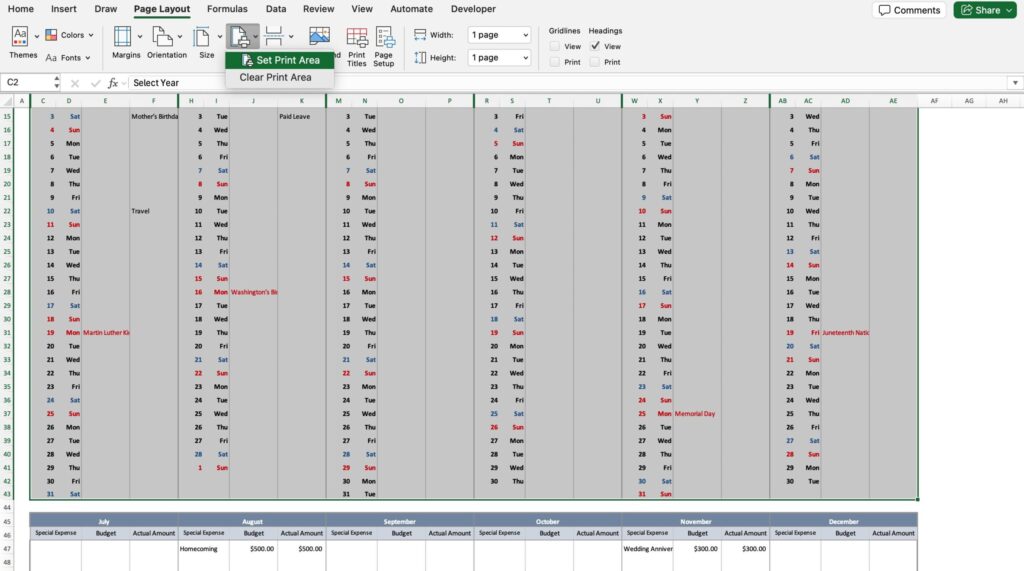
If you plan to print the calendar, we recommend dividing it into two pages: January–June and July–December.
Please select the print area and print in landscape orientation using the “Set Print Area” option.
Free Download Here
Note:
This template is compatible with Microsoft 365 or Excel 2021 and later (Windows / Mac).
In older versions of Excel, some functions (such as FILTER) are not supported,
so special expenses will not be displayed correctly.